

Do phone calls or forms get more appointments?
Phone calls convert to appointments at 2–3x the rate of web form submissions. Inbound phone leads convert at 25–40%, while web forms convert at only 2%.
However, 67% of consumers overall prefer online booking over calling (Zion & Zion), and 56% have abandoned a booking because they had to call during business hours.
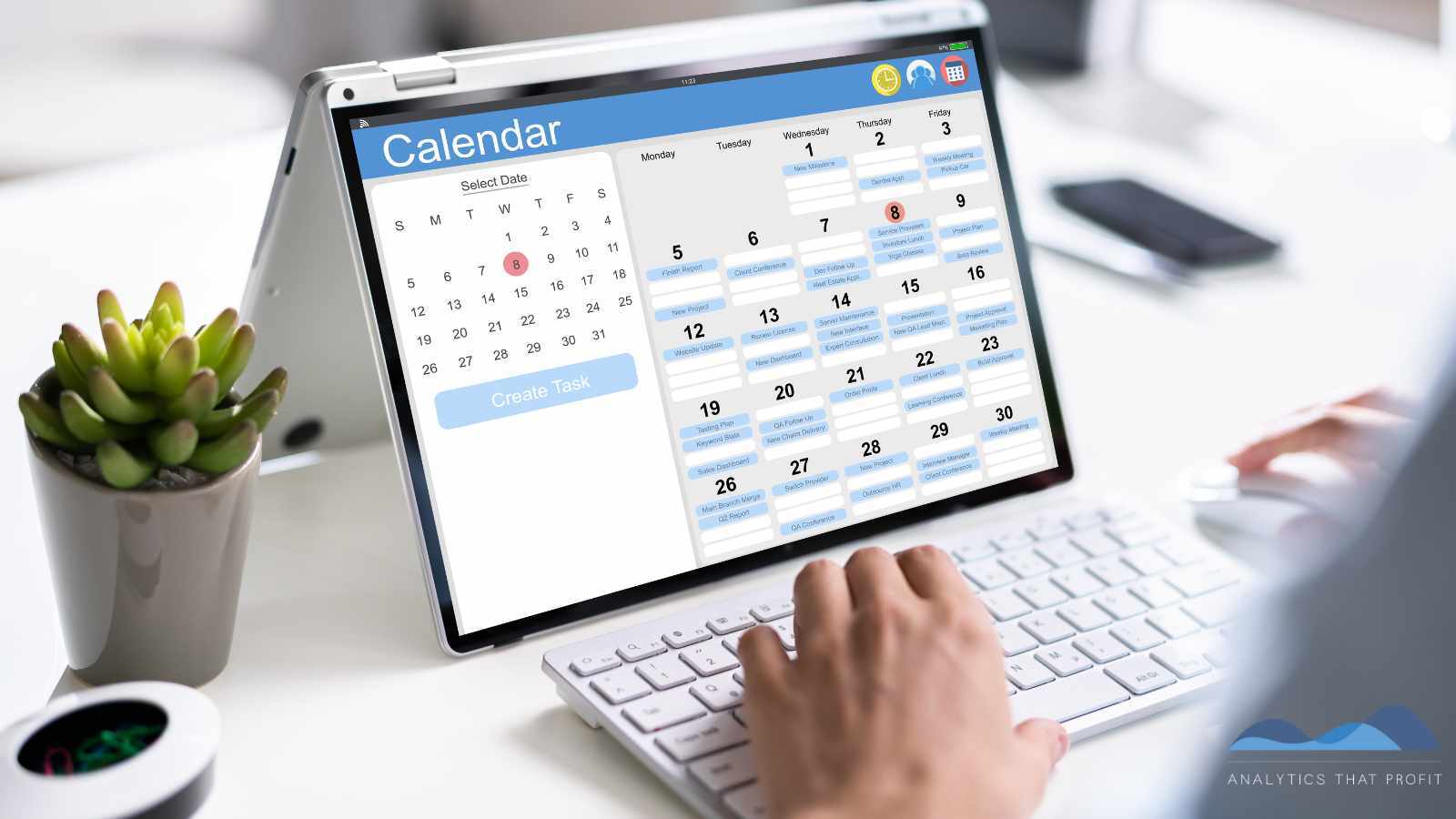
The practical reality: 73% of appointments in many service industries are still booked by phone (Square, 2025), but online scheduling increases total bookings — businesses offering both phone and online booking see a 24% increase in calls when digital scheduling becomes available.
40% of all bookings now occur outside traditional business hours, a trend only online self-service can capture.
Phone vs Online Booking: Why 73% of Customers Still Pick Up the Phone
35 Self-Service Booking Statistics Every Business Should Know (2026)
Appointment Scheduling Statistics 2026: 15 Data Points on Online Booking Trends and Conversion
Is Your Website Costing You Customers? What Every In-Home Service Business Needs to Know
Think about the last time you needed a plumber, an HVAC technician, or an electrician.
Did you scroll through Google, land on a website, and immediately know what to do next — or did you sit there wondering whether to call, fill out a form, or look for a "Book Now" button?
If you felt any confusion at all, you probably moved on to the next result.
That frustration is exactly what your customers feel every single day. And for in-home service businesses — HVAC companies, plumbers, electricians, lawn care providers, pest control services — a confusing website isn't just a design problem. It's a revenue problem.
The good news is that fixing it doesn't require a complete rebuild. It requires understanding one fundamental truth: your ideal customer has a preferred way to engage, and your job is to make it effortless for them.
Know Your Customer Before You Design Your Website
Before you add a phone number, a form, or a booking link, answer a more important question: Who is calling you, and what do they expect?
In-home service businesses serve a wide cross-section of the population — homeowners range from 25-year-old first-time buyers to 70-year-old retirees.
Each of these customers approaches your website differently, moves through their decision-making at a different pace, and expects a different kind of engagement. Building a website that ignores those differences means you're designing for an imaginary average customer who doesn't actually exist.
The research is clear: businesses with strong omnichannel strategies—meaning they meet customers across multiple contact preferences—retain 89% of customers year over year, compared to just 33% for businesses that offer only one way to connect. That gap doesn't just affect customer loyalty. It affects how many first-time callers ever become customers in the first place.
(Customer Support Channel Preferences Statistics 2026)
Are Phone Calls Better Than Forms?
This is one of the most common debates in digital marketing for service businesses, and the short answer is: both matter, and each one wins with a different customer.
What the data shows is striking. Inbound phone calls convert to booked appointments at 25–40%. Web form submissions, by contrast, convert at roughly 2%. At face value, that looks like a landslide win for the phone. But here's the catch — 56% of consumers have abandoned a booking entirely because they had to call during business hours, and 40% of all service bookings now happen outside of traditional 9-to-5 hours. If your only contact option is a phone number and your office closes at 5 p.m., you're invisible to nearly half of your potential customers at the moment of decision.
The question isn't really "which is better?" It's "which is better for which customer?" Phone calls indicate higher purchase intent — someone willing to pick up the phone is already more committed.
Online forms and self-scheduling tools capture the broader pool of people still in consideration mode, including the large segment who simply won't call at all.
Responding to any web form lead within the first minute increases conversion by 391% — meaning the form can perform, but only if the business treats it with the same urgency as a ringing phone.
The winning strategy for in-home service businesses is to offer both channels prominently and give equal attention to follow-through on each.
(2025 Benchmark Report on Demo Form Conversion Rates)
What Demographics Prefer to Call?
The customers most likely to pick up the phone and dial your number are Baby Boomers—and they represent a significant, loyal customer base for most in-home service companies.
52% of Baby Boomers prefer calling a business as their primary way to make contact, the highest rate of any generation. For scheduling service appointments, 58% of Boomers prefer to schedule by phone.
They're not opposed to websites — they'll look you up online — but when it's time to commit, they want to talk to a person.
Gen X (roughly ages 45–60) sits close behind, with 39% preferring phone calls as their primary contact method. They're comfortable with technology and may browse your website or compare options online, but a meaningful portion still reaches for the phone, especially for higher-stakes decisions like selecting a contractor for a home repair.
Gen X also has the highest homeownership rates and spending power in the home services category, making them a segment no in-home service business can afford to alienate.
What this means for your website: Make your phone number impossible to miss. It should appear in the header of every page — not tucked in the footer, not buried in the "Contact" page — and it must be clickable on mobile devices.
A non-clickable phone number on a smartphone forces your most phone-preferring customers to manually dial a number they have to memorize or write down. Most won't bother. They'll call a competitor.
(How Americans prefer to contact businesses for customer service))
What Demographics Prefer Forms?
|
Scheduling Method |
Gen Z |
Millennials |
Gen X |
Boomers |
|---|---|---|---|---|
|
Full online self-service |
Low adoption; only ~23% in 2025 |
|||
|
Fill out the form, get a callback |
Tolerated but not preferred; they want instant confirmation |
Middle ground — acceptable if callback is fast |
Preferred over self-service forms; they expect human follow-up |
|
|
Click-to-call |
Used for urgent/complex needs only |
Last resort for routine; still used for high-stakes decisions |
Dominant preference; 52% prefer calling |
Adapting to the Customer Service Preferences of Gen Z and Millennials
Gen X and Millennials are the most likely demographic to fill out a web form and wait for a callback — but their tolerance for waiting is extremely low, and the form design itself matters enormously.
Millennials (roughly ages 28–44) are the largest homebuying generation in the market today and a primary audience for in-home service businesses. 75% of millennials prefer texting or digital communication over phone calls for routine interactions, and 50% of millennials prefer scheduling service appointments online. They'll fill out your form — but they expect a fast response. Every hour you wait to follow up, you're losing ground to competitors.
Gen X, as noted above, is a middle-ground audience. They'll use a web form when it's convenient, particularly for non-urgent services where they're comparison shopping. But the form itself has to be short, respectful of their time, and ask only what you genuinely need to serve them.
Here's the most important insight about forms: most service business forms are designed for the company's convenience, not the customer's.
Forms that require a paragraph of explanation before the first field, ask for information the business can collect during the appointment, or dump a customer into a generic inbox with no confirmation message leak revenue.
A well-designed form:
- Asks only essential questions — name, contact info, type of service needed, and preferred callback window
- Confirms immediately — an auto-response that sets expectations ("We'll call you within 2 business hours") builds trust
- Routes to the right person fast — forms connected to a CRM or scheduling tool eliminate the lag that kills conversions
- Is mobile-optimized — over 60% of local service searches happen on a smartphone, and a form that's frustrating to fill out on a phone is a form that doesn't get submitted
Appointment Scheduling Statistics 2026: 15 Data Points on Online Booking Trends and Conversion
What Demographics Want a Complete Online Experience?
Gen Z — adults now ranging from roughly 18 to 28 — are entering homeownership and beginning to hire in-home service providers for the first time. They are the generation most likely to want to handle the entire process online, from finding you to booking you, without ever speaking to a person.
87% of Gen Z consumers demand a frictionless, self-service booking experience, and 44% say they won't do business with a company that doesn't offer online scheduling. When Gen Z lands on your website and finds only a phone number or a "submit a form, and we'll call you" option, many of them leave. It's not rudeness — it's a fundamentally different expectation of how business should work, shaped by a lifetime of on-demand digital services.
Millennials are close behind. 82% of millennials say they're more likely to choose a service provider that offers online booking over one that doesn't, and more than 50% say they would switch providers entirely if online scheduling weren't available.
These customers aren't mildly inconvenienced by the absence of digital booking—they consider it a dealbreaker.
What a complete online experience looks like for in-home services:
- A visible, clickable "Schedule Service" or "Book Appointment" button in the site header, not just on the contact page
- A booking tool or calendar link that lets customers select a service type, a date/time window, and confirm — all without picking up the phone
- Instant confirmation via email or text
- Clear expectation-setting about what happens next (e.g., "A technician will call 30 minutes before your appointment to confirm")
Tools like Calendly, ServiceTitan, Housecall Pro, or built-in booking integrations make this achievable for small and mid-sized service businesses without a significant technology investment.
Gen Z Booking Habits: What Service Providers Need to Know
Designing Your Website Contact Options: A Quick Reference
|
Contact Method |
Who It Serves Best |
What They Need |
|
Click-to-call phone number in header |
Baby Boomers, Gen X, and all generations in urgent situations |
Visible on every page, mobile-clickable, answered promptly |
|
Web form with callback |
Gen X, Millennials, non-urgent service inquiries |
Short fields, instant confirmation, callback within 1–2 hours
|
|
Online self-scheduling / booking link |
Millennials, Gen Z, after-hours customers |
Prominent placement, real-time availability, instant confirmation |
No single option is enough. In-home service businesses that offer all three — prominently and with equal commitment to following through — capture the widest possible pool of potential customers, regardless of generation.
.jpg?width=500&height=500&name=Keep%20Forms%20Simple%20Enough%20to%20Fill%20Out%20With%20One%20Thumb-analytics%20that%20profit%20%20(1).jpg)
Does Your Website Work for Someone Using Their Thumb?
Here's a test most business owners have never done: pull out your own phone, go to your website as if you've never seen it before, and try to contact yourself.
Don't cheat by knowing where everything is.
Pretend you're a homeowner whose AC just went out at 7 p.m. on a Friday.
How fast can you find a phone number?
Can you tap it? Is the booking button visible without scrolling? How long does the page take to load?
For most service businesses, that test reveals uncomfortable truths — because over 60% of local service searches happen on a smartphone, and the mobile experience most customers encounter is dramatically worse than what the business owner sees on their desktop.
Desktop
Your Phone Number and CTA Can't Hide in a Hamburger Menu
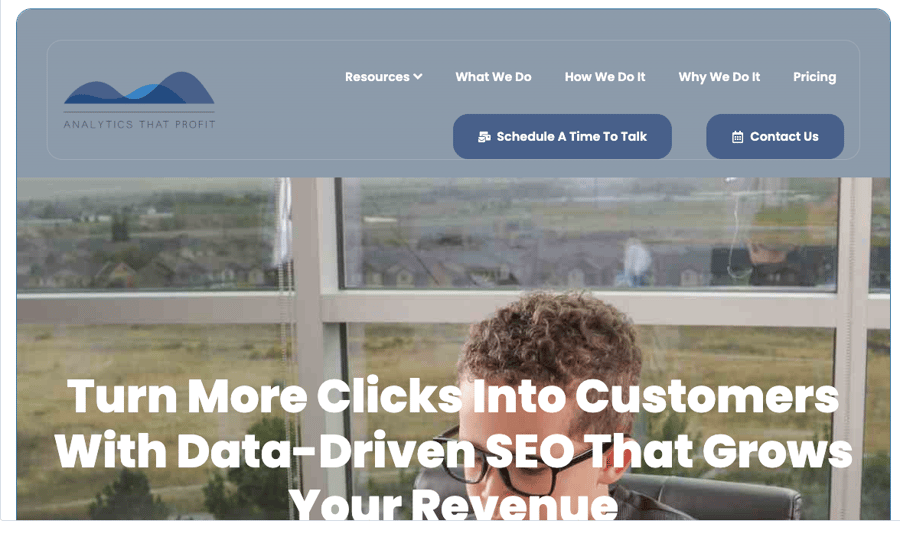
The hamburger menu — that three-line icon in the corner of a mobile site — is one of the most common places service businesses accidentally bury their most important contact options.
A customer who has to tap a menu icon, wait for it to expand, scan the options, and then tap again just to find a phone number is already reconsidering their choice. Your phone number and your primary call-to-action (whether that's "Book Now," "Schedule Service," or "Get a Free Estimate") need to be visible on the screen the moment the page loads — no tapping, no scrolling, no searching.
The most effective mobile headers for service businesses are simple: the company name or logo on one side, a clickable phone number on the other, and a clearly labeled CTA button between or below them. Inline, always visible, always tappable. If a customer has to hunt for how to contact you, most of them won't.
Tablet View - CTA's hidden in Hamburger Menu!

Yes, that is my website. I fixed it. See screenshot below.
Phone View- hamburger menu problem solved.
Add an inline Appointment Link!

Run Google's PageSpeed Insights — Then Actually Fix It
A slow-loading mobile site doesn't just frustrate users — it actively drives them away.
53% of mobile users abandon a page that takes longer than 3 seconds to load, and Google's own ranking algorithm penalizes slow mobile performance in local search results.
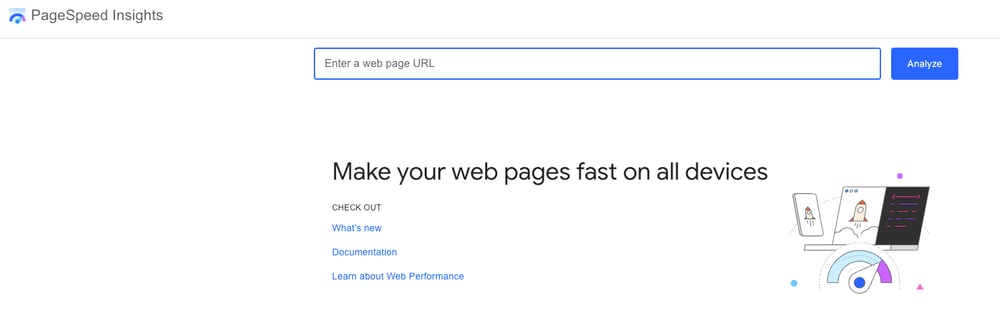
Google's free tool, PageSpeed Insights, gives you a score and a specific action list for both mobile and desktop. It's not enough to run the test once — the results tell you exactly what to fix, from oversized images to render-blocking scripts that delay the page from appearing.
For in-home service businesses, the most common mobile speed culprits are large photo galleries, uncompressed images of past work, and contact form plugins that load slowly.
These are all fixable, and fixing them directly impacts how many customers stay on your site long enough to contact you.

Keep Forms Simple Enough to Fill Out With One Thumb
A contact form that works well on a desktop can be genuinely painful on a phone. Small tap targets, fields that require precise typing, dropdowns that don't respond well to touch, and multi-step forms that time out — all of these create friction at the exact moment a customer is ready to commit.
For mobile forms on service business websites, the standard should be: if it can't be filled out comfortably with one thumb in under 90 seconds, it's too complicated.
In practice, that means limiting your form to five fields or fewer — name, phone number, service needed, zip code, and preferred contact window covers everything you actually need to prepare for a callback. Every additional field you add reduces the number of people who complete it.
Save the detailed intake questions for the actual phone call or the technician's visit. The form's only job is to get you a name and a number.
Experience Your Own Business as a Customer
The single most valuable thing any service business owner can do for their website is to use their own phone to go through the full experience of finding and contacting their business from scratch.
- Search your own company name on Google.
- Tap the listing.
- Try to call from the website.
- Try to fill out the form.
- See how long it takes, where you get confused, and what happens after you submit.
- Then do the same thing from a competitor's website and compare.
Most business owners are shocked by what they find. A phone number that isn't clickable. A form that has no confirmation message after submission.
A "Book Now" button that leads to a page asking for 12 pieces of information before anything can be scheduled.
These aren't edge cases — they're the norm, and they represent real customers who started the process and gave up.
The businesses that fix these friction points don't just improve their websites. They improve their close rates.
The Bottom Line: Meet Customers on Their Terms
The businesses growing fastest in the in-home services category aren't necessarily the ones with the most polished websites or the biggest advertising budgets. They're the ones where every customer can engage the way they prefer, without friction, confusion, or dead ends.
Your phone number should appear in the header and be clickable.
Your booking link should be just as visible as your phone number.
Your forms should be designed to serve the customer, not your intake process.
And every contact method you offer should have a fast, reliable follow-through system behind it—because a form that goes unanswered for 24 hours and a phone that rings to voicemail are both closed doors.
The customers are out there, and they're searching for exactly what you offer. Make sure your website opens the right door for each of them.